

How to Use Multiple Bank Accounts to Take Control of Your Budget
Money management can feel overwhelming when bills, daily spending, and savings goals all compete for attention. Using multiple bank accounts—each with a clear purpose—is a simple, practical way to bring order to your finances. This guide explains how purpose-driven accounts boost discipline, simplify tracking, and help you reach goals faster. You’ll find straightforward strategies, real benefits, best practices, and common pitfalls to avoid when building a segmented budget.
Taking responsibility for your financial knowledge and applying proven strategies is essential to successful budgeting.
Strategies for Personal Financial Management
Everyone should learn how to plan and manage personal finances—these skills help us make better choices and build stability.
Personal financial management, T Munohsamy, 2015
Practical, Effective Strategies
Using multiple bank accounts works best when you follow a clear strategy. Consider these core approaches:
- Purpose-Based Accounts: Open separate accounts for specific goals—emergency savings, vacation funds, and everyday spending. Giving each goal its own account makes your money easier to see and manage.
- Automated Transfers: Schedule recurring transfers so your savings happen automatically. Automation keeps you consistent and reduces the need for manual adjustments.
- Use Budgeting Tools: Connect budgeting apps and tools to view transactions across accounts. These tools surface spending patterns and help you make informed decisions.
Put these tactics in place and you’ll find budgeting becomes more predictable and less stressful.
Introducing CalendarBudget’s Multi-Account Tracking Feature
Segmenting your money into multiple accounts delivers clearer visibility, better saving habits, and less financial anxiety.
Benefits of Segmented Budgeting
When you assign money to specific accounts, you can instantly see what’s available for bills, discretionary spending, and savings. That clarity helps you avoid overspending and stay motivated—saving for a vacation or a down payment feels more real when you can watch the balance grow.
Without that structure, planning ahead becomes harder and short-term impulses can derail long-term goals.
Strategic Planning for Personal Financial Management
A lack of basic financial understanding prevents people from using their financial data to build effective long-term plans.
Personal financial management, 2004
These benefits show how a segmented budget can turn money management from a chore into a clearer, more rewarding process.
Best Practices
To get the most from multiple accounts, follow these practical habits:
- Categorize Expenses: Define the purpose for each account and assign expenses accordingly so every dollar has a role.
- Set Alerts and Reminders: Use your bank’s notifications for low balances and upcoming bills to avoid overdrafts and missed payments.
- Coordinate with Family: When budgeting as a household, make sure everyone understands each account’s purpose and their responsibilities.
These habits keep your system organized and reduce the chance of mistakes.
Why Use Multiple Bank Accounts for Budgeting?
Multiple accounts encourage discipline by making allocations visible and automatic. When funds are set aside for specific uses, you’re less likely to mix money meant for bills with money meant for fun.
How Multiple Checking Accounts Improve Financial Discipline
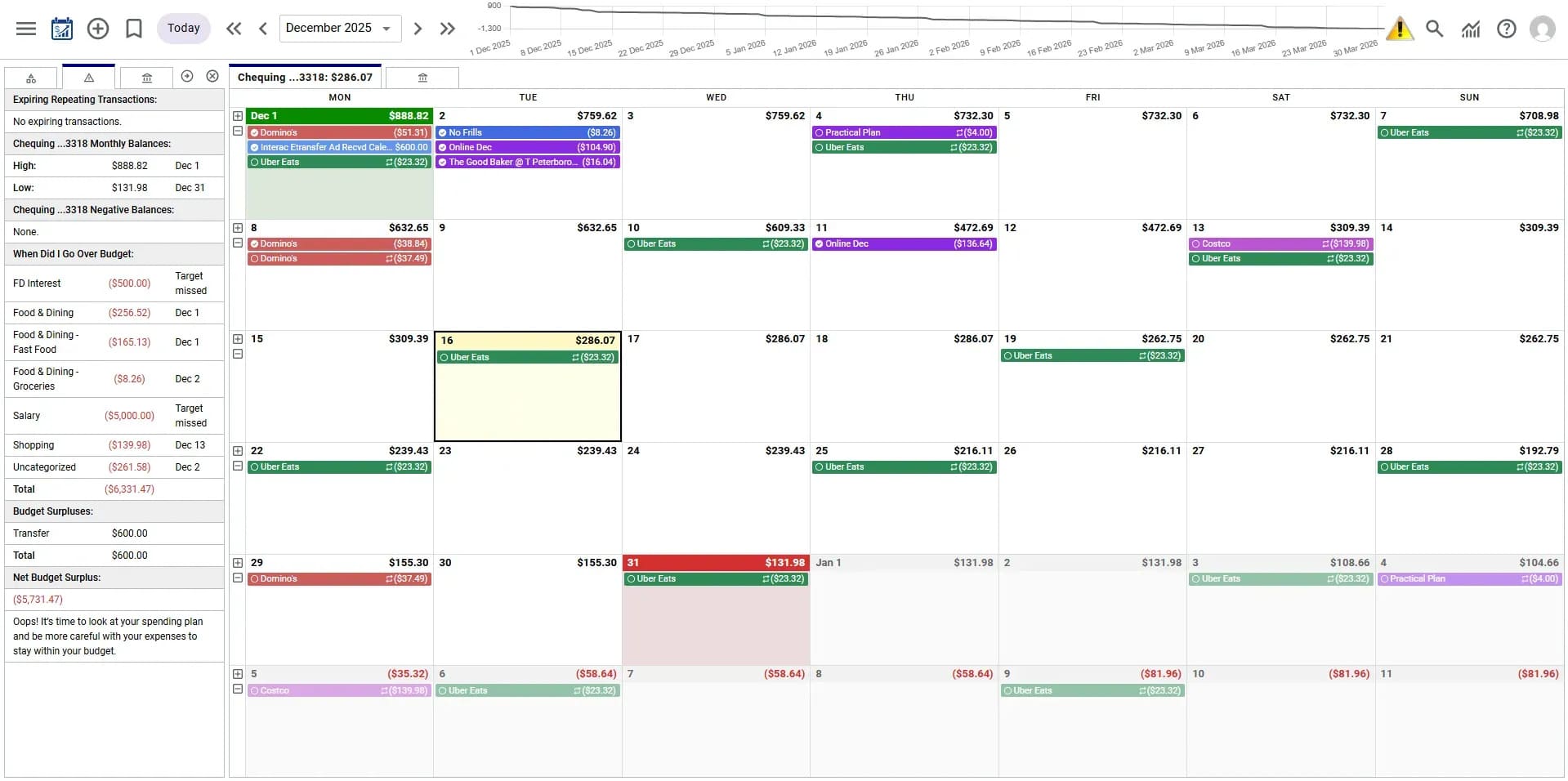
Setting up separate checking accounts for bills, groceries, and entertainment—and automating transfers to them—reduces the temptation to overspend. Regularly checking balances helps you course-correct quickly and keeps your goals on track.
How to Set Up Multiple Bank Accounts
Start with a clear plan and a simple structure to avoid confusion:
- Choose the Right Account Types: Use checking accounts for everyday spending, a savings account for emergencies, and dedicated savings accounts for specific goals.
- Organize Your Accounts: Name each account clearly and document its purpose so you always know which money is for what.
- Review and Adjust: Check your accounts regularly and tweak amounts as life changes—flexibility helps you stay on track.
Which Accounts to Open for Budget Segmentation
Consider these basic account types when building your system:
- Checking for Daily Transactions: For groceries, utilities, and recurring bills.
- Savings for Emergencies: A separate fund to cover surprise expenses.
- Goal Savings Accounts: Dedicated accounts for vacations, a car, or a down payment—each goal gets its own space.
How Many Accounts Are Ideal?
The right number depends on you. Too few accounts can blur goals; too many can become hard to manage. Most people find three to five accounts—each with a specific purpose—strikes a good balance between clarity and simplicity.
Using Calendar-Based Budgeting with Multiple Accounts
Aligning bills, paydays, and transfers on a calendar helps you plan cash flow and avoid timing issues. A calendar view makes it easy to see when money needs to be where it’s needed most.
How CalendarBudget Helps Manage Multiple Accounts
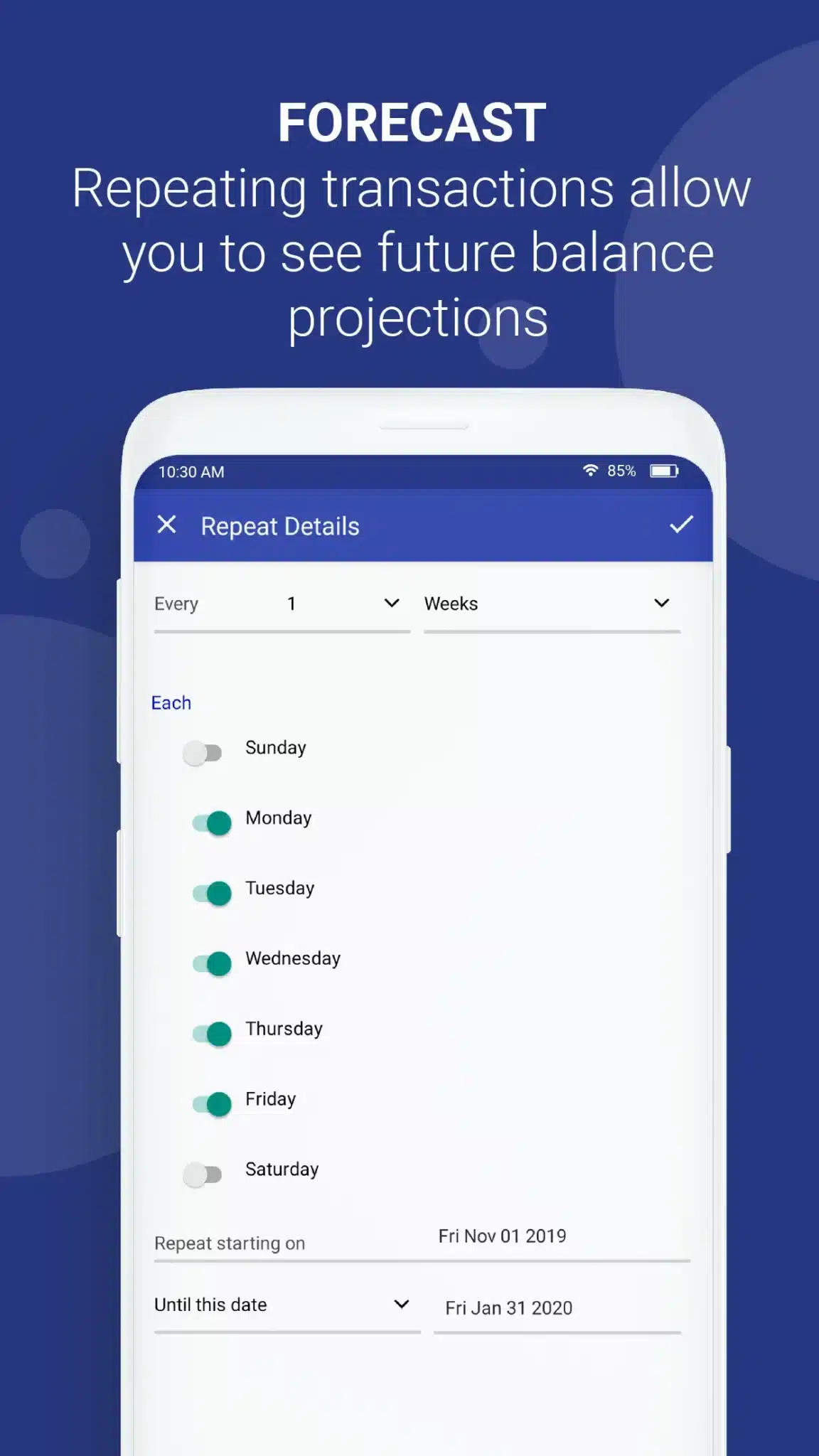
The CalendarBudget app helps you link accounts, categorize transactions, and set reminders for bills. Seeing your finances on a calendar lets you plan transfers and manage cash flow with less guesswork.
Tracking and Managing Expenses Across Accounts
With the right routine and tools, monitoring multiple accounts becomes straightforward.
Tools to Monitor Transactions by Account and Category
Helpful options include:
- Budgeting Apps: Sync accounts to get real-time expense tracking and category breakdowns.
- Spreadsheets: A manual but flexible way to track balances and categorize spending.
- Budget Calendars: Visualize upcoming bills and transfers so money is where it needs to be.
Adjusting Your Budget Based on Account Activity
Review account activity regularly to spot trends and make adjustments. If one category consistently runs short, reallocate funds or change habits—small tweaks keep goals realistic and achievable.
Common Mistakes to Avoid When Budgeting with Multiple Accounts
Multiple accounts can help—but they also introduce new risks if not managed carefully:
- Underestimating Costs: Be conservative when estimating recurring and variable expenses to avoid shortfalls.
- Ignoring Updates: Life changes—update your plan when income or priorities shift.
- Poor Tracking: If you don’t track spending accurately, accounts won’t help you reach goals.
Keep It Simple—Avoid Too Many Accounts
Limit accounts to those that serve a clear purpose. Clear labels, automated transfers, and a routine review will prevent unnecessary complexity.
Tips for Automating Transfers Between Accounts
Automation makes a segmented budget practical. Try these steps:
- Decide Which Accounts and Amounts: Choose which accounts will receive recurring transfers and how much each needs.
- Use Your Bank’s Online Tools: Log in to set up recurring transfers or standing orders.
- Schedule Around Pay Days: Time transfers to land after paychecks clear so bills are covered.
Optimize Your Budget with Multiple Accounts in 2024 and Beyond
As finances and tools evolve, segmented budgeting is still a smart approach. It helps you stay disciplined, plan cash flow, and adapt to change.
Recent Trends That Support Segmented Budgets
More people—especially younger adults—are using goal-based savings and calendar-style budgeting. Those who adopt these habits often report better saving outcomes and clearer financial control. These trends show segmented accounts can be an effective part of a modern budgeting strategy.
To dig deeper into calendar-based methods, try tools designed for date-driven budgeting. The CalendarBudget platform offers features that pair well with multiple accounts, helping you schedule transfers, track progress, and avoid timing surprises.
Automated transfers are one of the easiest ways to make segmented budgeting work. Set them up through your bank to ensure savings and bills are funded reliably—automation reduces decision fatigue and builds steady habits.
Finally, use budgeting tools to track expenses across all accounts. Many apps, including CalendarBudget, provide category breakdowns and calendar views that make it easier to stay aligned with your financial goals.








Leave A Comment