How CalendarBudget Ensures User Control Over Financial Data
CalendarBudget prioritizes user control by allowing individuals to manage their financial data without directly connecting to their bank accounts in the Basic version. This approach ensures that users can input and oversee their transactions manually, maintaining complete authority over their financial information.
For those who choose the Premium version, CalendarBudget implements a read-only connection to bank accounts. This means that while the software can access transaction data for automatic imports, it does not allow any financial transactions to be executed through the platform, thus enhancing user control and security.
Comparing CalendarBudget Basic and Premium Versions
Understanding the differences between the Basic and Premium versions of CalendarBudget is crucial for users to select the option that best suits their financial management needs. The Basic version requires manual entry of transactions, making it ideal for users who prefer a hands-on approach to budgeting.
On the other hand, the Premium version offers enhanced features such as automatic transaction imports from bank accounts and advanced reporting tools. This version is designed for users seeking a more automated budgeting experience while still maintaining security and control over their financial data.
Tips for Effective Budgeting with CalendarBudget
To maximize the benefits of CalendarBudget, users can employ various strategies for effective budgeting. Setting clear financial goals, regularly updating transaction entries, and categorizing expenses can help users maintain a clear overview of their financial health.
Additionally, utilizing the reporting features available in the Premium version can provide valuable insights into spending habits, enabling users to make informed adjustments to their budgets. Consistent monitoring and proactive adjustments are key to achieving financial stability using CalendarBudget.
Understanding CalendarBudget's User-Friendly Interface
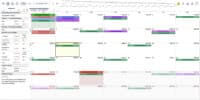
CalendarBudget is designed with user experience in mind, offering an intuitive interface that simplifies financial management. Users can easily navigate through various features, whether they are entering transactions, setting budgets, or generating reports.
The platform's layout is structured to enhance usability, with clear sections for different financial activities. This user-friendly approach ensures that individuals, regardless of their tech-savvy level, can efficiently manage their finances and stay on track with their budgeting goals.








Leave A Comment