

Meet the Monthly Budget Calendar: a visual way to take control of your money
Keeping track of income and bills can quickly feel chaotic. A monthly budget calendar turns that chaos into a clear picture: it shows when money arrives, when bills are due, and where gaps might appear. Below we explain how a visual calendar can give you better control, less stress, and clearer decisions about your money. We’ll also show how the CalendarBudget app uses visual forecasting to help you reach your goals.
Take Control with a Visual Monthly Budget Calendar
A monthly budget calendar places your income and expenses directly on a calendar so you can see cash flow at a glance. That visual layout makes it easier to spot upcoming bills, cluster payments, and timing issues. With that clarity, you can plan around tight weeks, move money proactively, and make smarter spending choices.
How does a monthly budget calendar lay out income and expenses visually?
On a calendar, each day represents what actually happens with your money—paydays, subscriptions, rent, or one-off payments. You can color-code paychecks, mark due dates, and flag irregular expenses so everything reads faster than a spreadsheet. The result is an organized, day-by-day view that highlights priorities and reduces surprises.
What are the advantages of visual budgeting over traditional methods?
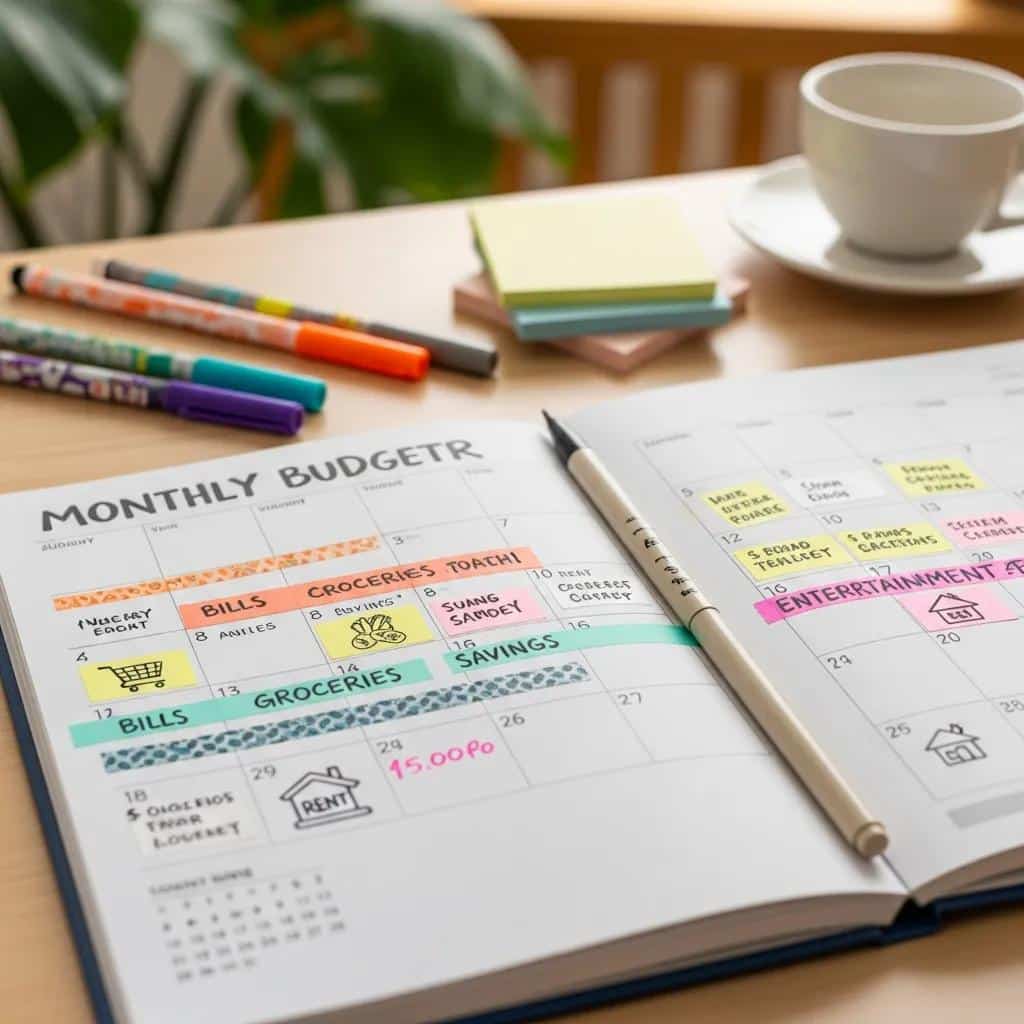
Visual budgeting makes your finances easier to understand and act on. It highlights trends and unusual charges quickly, helps you project future balances from past patterns, and reduces anxiety by making the plan visible. Many people find it more intuitive than dense spreadsheets—faster to scan, simpler to adjust, and more motivating to use consistently.
How can CalendarBudget help you plan ahead with visual forecasting?

CalendarBudget puts your money on a calendar so you can see what’s coming and act before a problem appears. The app is built to fit real lives—whether you’re managing a household, juggling bills, or smoothing uneven pay. With visual forecasting, you’ll know when to move money, delay discretionary spending, or build a small buffer for lean weeks.
What key features does CalendarBudget offer to manage budgets and avoid overdrafts?
CalendarBudget includes tools designed to keep you informed and in control. Set alerts for budget thresholds so you’re warned before overspending. Link bank accounts to keep balances up to date and reduce manual tracking. Together these features help you spot shortfalls early and avoid overdraft fees.
How does CalendarBudget handle irregular income and debt repayment?
If your income varies month to month, CalendarBudget helps you allocate funds based on expected receipts and create cushions for slow periods. The app also supports debt planning: track payments, set repayment targets, and visualize progress so you can prioritize what matters and stay motivated.
Why pick CalendarBudget over other calendar or budgeting tools?
CalendarBudget stands out because it combines calendar-driven clarity with practical budgeting features. Unlike a static spreadsheet or apps that bury timing, CalendarBudget makes the schedule of your money the center of the plan—so you can actually use the plan in real life.
How does CalendarBudget compare with Excel templates or apps like Monarch?
Excel templates can be flexible but often require manual upkeep and complex formulas. Apps like Monarch offer strong features, but CalendarBudget focuses on timing and visibility first—so you see the rhythm of your cash flow immediately. If you want an intuitive, time-based view of your money, CalendarBudget simplifies the work without sacrificing accuracy.
What unique value does CalendarBudget bring to personal finance calendars?
CalendarBudget blends visual clarity with useful tools you’ll actually use. Customize categories, set reminders, and tailor the calendar to family or personal goals. That combination of flexibility and straightforward design makes it easy to keep a budget that reflects how you live.
How to start using the calendar budgeting method for clearer finances?
Getting started is simple and practical. A few deliberate steps will set up a calendar you can rely on month after month.
What are the first steps to set up your monthly budget calendar?
Create a CalendarBudget account, add your income sources and regular expenses, and place them on the calendar by date. Seeing entries day by day gives you an actionable snapshot of obligations and free days—an essential foundation for better planning.
How can you customize your calendar to match family and personal goals?
Make the calendar yours by adjusting categories, adding savings targets, and setting reminders for due dates or goals. Whether you’re saving for a trip, managing household bills, or coordinating shared expenses, those custom touches keep the plan aligned with what matters to you.
These CalendarBudget features work together to simplify planning and keep you on track.
In short, a monthly budget calendar changes how you manage money by turning timing into clarity. Using a visual tool like CalendarBudget helps you anticipate needs, avoid surprises, and reach financial goals with less stress. When the schedule of your money is clear, so are the choices you make.







Leave A Comment