
CalendarBudget vs YNAB in 2026: Which Fits Your Financial Style?
As a cofounder of CalendarBudget, I’ve naturally explored a wide array of budgeting tools over the years. Among the most popular options (other than CalendarBudget) is You Need A Budget (YNAB). Each app offers a distinct philosophy and feature set, catering to diverse budgeting styles. This comparison aims to provide an in-depth look at both, helping you determine which approach best aligns with your financial style in 2026.
CalendarBudget, which I cofounded, was designed for its straightforward approach. We built it to allow users to visualize their spending directly on a calendar, making it intuitive to track cash flow throughout the month. This visual layout empowers users to see the big picture, anticipate future balances, and proactively avoid overspending. On the flip side, YNAB champions the ‘every dollar has a job’ philosophy, emphasizing proactive budgeting. It encourages users to think ahead and allocate funds for future expenses, a method that has helped many build a stronger financial cushion over time. Ultimately, the choice between these two apps hinges on whether one prefers a more laid-back, visual, and forecasting-driven approach (like CalendarBudget) or a proactive, structured, and category-focused method (like YNAB). Both have significant merits, and understanding their core differences is key to finding the best fit for your financial journey.

Choosing the right budgeting app comes down to how you think about money. This guide compares CalendarBudget’s date-driven forecasting with YNAB’s zero-based method so you can pick the tool that best fits your income pattern and goals. We break down each method, highlight UX and feature differences, show real use cases for variable pay, and compare pricing, privacy, and bank-integration trade-offs. Expect clear definitions, practical setup steps, comparison charts, and actionable recommendations to smooth cash flow and avoid surprises. We also use searchable terms like cash-flow forecasting, calendar budgeting, zero-based budgeting, and privacy-focused budgeting so the key differences are easy to find and apply.
What Are the Core Budgeting Methodologies of CalendarBudget and YNAB?
Calendar-based budgeting puts income and expenses on a date-first timeline so you can see how account balances change day by day. Scheduled transactions update projected balances, helping you spot shortfalls before they happen and avoid overdrafts. Zero-based budgeting, by contrast, gives every incoming dollar a job: you assign funds to categories until the budget equals zero. That method relies on category allocation and prioritization to drive disciplined spending and clear progress toward goals. Calendar budgeting emphasizes timing and cash-flow visibility around paydays; zero-based budgeting enforces behavior through tight category limits. Your best choice depends on your financial style: pick calendar budgeting if timing and forecasting reduce your surprises, or choose zero-based budgeting if tracking and enforcing category limits are your priority. The next sections explain how each approach works in everyday use and when each shines.
How Does Calendar-Based Budgeting Provide Visual Cash Flow Forecasting?
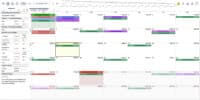
Calendar-based budgeting creates a visual map of cash flow by placing expected income, recurring bills, and one-time expenses on calendar dates and showing projected account balances for each day. It aggregates scheduled and posted transactions into a running balance so you can see upcoming shortfalls or comfortable buffer days well ahead of time. That lets you move discretionary spending, reschedule payments, or set reminders before a low-balance date — reducing late fees and overdrafts. Visual forecasts also let you run quick “what-if” scenarios, like shifting a payday or delaying an invoice, so you make proactive decisions instead of reactive fixes. This date-first view is especially useful for people with irregular pay or households juggling multiple payment cycles: it turns abstract numbers into a clear timeline you can act on.
What Is Zero-Based Budgeting and How Does YNAB Implement It?

Zero-based budgeting means you assign every dollar of income to a category until your budget totals zero. YNAB implements this with clear category assignments and rules that prioritize current needs, savings, and debt reduction. The system encourages you to move money into categories like rent, groceries, and emergency savings as soon as income arrives and to treat those category amounts as firm spending limits. The payoff is behavioral: deliberate allocation builds spending discipline and gives you a direct view of progress toward goals. It usually takes a short setup period to create categories and adopt the workflow, but once you stick with it, zero-based budgeting creates a predictable, accountable system for tracking where each dollar goes.
How Do CalendarBudget and YNAB Compare in Features and User Experience?

CalendarBudget and YNAB follow two different UX paths: date-first forecasting versus category-first allocation. Each prioritizes features that serve different needs. We compare forecasting, reminders, goal tracking, bank integration, onboarding effort, and day-to-day workflows so you can see which app fits your income pattern, desired automation, and willingness to set up rules. The table below gives a concise feature comparison to surface the main trade-offs for prospective users and teams.
What Key Features Differentiate CalendarBudget’s Visual Planner and Bill Reminders?
CalendarBudget centers on a dynamic calendar that shows scheduled income and bills, projects future account balances for each date, and offers bill reminders to cut down on missed payments. Scheduled items update projections immediately and trigger timely alerts, linking events directly to future balances so you can see the downstream impact of paying a bill or getting paid before transactions post. Users typically see fewer overdrafts, steadier savings from planned transfers, and less stress about upcoming obligations. Freelancers often place expected invoices on payday dates and use reminders to smooth spending between irregular paychecks. For anyone who thinks in timelines, these calendar-first tools make cash-flow decisions simpler and reduce late fees.
Expert Evaluation: The table below compares core attributes across methodology, forecasting, bank integration, learning curve, and ideal users to make side-by-side choices easier.
The table clarifies that CalendarBudget focuses on timing and forecasting while YNAB centers on disciplined allocation. Below, we translate those differences into short, practical workflows for common users.
Expert-Recommended Workflows for Typical Users
- Freelancers and Gig Workers: Use calendar forecasting to map invoices to expected paydays and avoid cash-flow gaps between payments.
- Salaried Households: Either approach works — use CalendarBudget for better bill timing and planning, or YNAB for strict month-to-month control.
- People Paying Down Debt: Use zero-based allocation to prioritize extra payments and add calendar reminders for due dates to avoid late fees.
These workflow suggestions, grounded in practical budgeting habits, help you pick the tool and routines that reduce surprises and align with your goals.
Why Is CalendarBudget an Ideal Choice for Managing Irregular Income and Cash Flow?
CalendarBudget is built for people with irregular income because its model centers on timing: paydays, scheduled bills, and visible buffers live on a dynamic calendar so you can plan around variability. You enter expected income dates and amounts (or ranges), then project balances forward to spot risky dates and comfortable buffers. The result is less volatility in spending decisions, fewer overdrafts, and clearer choices about delaying discretionary purchases. For gig workers, contractors, and seasonal earners, calendar forecasting turns uncertainty into an actionable timeline: you can see when money arrives, when bills are due, and when to move funds into savings. Below we map common irregular-income scenarios to CalendarBudget capabilities and likely outcomes.
Expert Analysis: The table below links real-world irregular-income situations to CalendarBudget features and user results to show clear, practical benefits.
This mapping shows how calendar forecasting leads to fewer late fees and steadier saving habits. Next, follow the setup steps below to implement calendar budgeting quickly if your income varies.
Expert-Guided Setup: Calendar Budgeting for Variable Income
- Create scheduled events for expected paydays and note likely ranges for amounts to build realistic projections.
- Add fixed recurring bills on their due dates and set reminders a few days early to avoid missed payments.
- Build buffer or “rainy day” scheduled transfers to consistently set aside a portion of irregular income.
- Review projected balances weekly and move discretionary spending if needed to preserve your buffer.
Following these steps creates a repeatable routine that ties decisions to visible dates instead of vague monthly estimates, helping you stay in control.
How Does CalendarBudget Support Users with Variable Income Patterns?
CalendarBudget supports variable income by letting you place anticipated pay and conditional events directly on the calendar, producing dynamic forecasts that update as transactions post. Projected running balances flag imminent shortfalls so you can delay purchases or boost savings proactively. Practical tips include using conservative pay estimates and maintaining safety buffers as shock absorbers during slow months. Used consistently, these practices turn fluctuating income into a predictable cash-flow pattern that reduces stress and improves bill-paying reliability.
What Are the Benefits of CalendarBudget’s Future Account Balance Forecasting?
Day-by-day future balance forecasting gives a clear picture of whether to delay a purchase, move a bill, or transfer money to savings before a low-balance day. The system combines scheduled and posted transactions into a continuous running balance; the measurable benefits are fewer overdrafts, better timing for larger purchases, and steadier progress on savings goals. People who rely on forecasting report more confidence because they can preview the financial impact of choices and pick the least risky path. That proactive clarity shifts money management from reactive to planned — a real advantage when choosing between tools that offer these capabilities.
What Are the Pricing Models and Value Propositions of CalendarBudget vs YNAB in 2026?
Price matters, but the best value depends on what you prioritize: automation, forecasting, privacy, or category enforcement. CalendarBudget’s value centers on visual clarity, accurate forecasting, ease of use, and strong support for irregular income; pricing and trial options are presented so you can test the calendar-first workflow risk-free. YNAB focuses on subscription access to its zero-based system and deep category controls; its long-term value depends on how much behavior changes with consistent use. Choose based on whether you value a lower learning curve and privacy-friendly workflows or strict category discipline with automated syncing. The table below compares billing models and perceived value for each app.
Expert Financial Analysis: This table contrasts billing model type, trial availability, and value-per-user considerations to help you estimate ROI based on your priorities.
This comparison shows that matching value to use case matters more than raw cost. The short list below helps you choose based on expected ROI and how you use the app.
Strategic Selection: Choosing Based on Value and Usage Patterns
- Choose CalendarBudget if timing, forecasting, and handling irregular inflows without automatic bank connections are your top needs.
- Choose YNAB if you want strict category enforcement and are willing to invest setup time for long-term behavior change.
- Try both during their trial periods to see which UI and workflows match the way you naturally budget before committing.
How Do CalendarBudget’s Pricing and Free Trial Options Compare?
CalendarBudget offers trial options so new users can fully explore the calendar workflow and forecasting tools before subscribing. Trials are designed to show whether the planner and reminders improve cash-flow management. The value pitch emphasizes visual clarity and a lower learning curve compared with category-first systems, often shortening the time to useful results. To evaluate a trial, test core flows: add expected income, schedule bills, and check future balances to see if forecasting reduces surprises. If you notice fewer late payments or overdrafts, the subscription often pays for itself through avoided fees and steadier savings.
What Is YNAB’s Subscription Model and Cost Structure?
YNAB’s subscription gives ongoing access to its zero-based budgeting approach, with monthly or annual billing options. The service supports continuous category maintenance and goal tracking. Cost-effectiveness increases with consistent use: active users who assign every dollar and follow the workflow typically see meaningful behavior change that justifies the subscription. If you’re willing to invest time in setup and category upkeep, YNAB rewards discipline with faster debt paydown and clearer progress toward savings. Whether the subscription is worth it depends on how much behavioral change you expect and whether you prefer automated syncing or manual control.
How Do Privacy and Bank Integration Differ Between CalendarBudget and YNAB?
Privacy and automation involve trade-offs: bank syncing gives convenience and automated categorization, while manual or no-sync options reduce third-party data sharing and give you direct control. CalendarBudget highlights privacy options that avoid bank connections, appealing to users who prefer to keep transaction data out of external systems. YNAB offers bank syncing to import and categorize transactions automatically, saving time at the cost of sharing some banking metadata with aggregation services. Both approaches are valid depending on your risk tolerance and need for automation. The key decision is whether convenience outweighs potential privacy concerns in your situation. The sections below list pros and cons and offer privacy-conscious practices.
Why Does CalendarBudget’s No Bank Connection Feature Appeal to Privacy-Conscious Users?
CalendarBudget’s no-bank-connection option appeals to privacy-minded users because it keeps third parties away from sensitive transaction data and gives you full control over what’s recorded. It relies on manual entry or secure file imports, avoiding external credential storage and shrinking the risk surface for data exposure. For people managing sensitive finances or wary of aggregators, this model increases confidence and supports a strict “least exposure” approach. The trade-off is more manual input, but many users accept that for the privacy and clearer mental model it provides.
Privacy Trade-offs to Consider
- Manual / No-Sync: Highest privacy, more manual maintenance, full control over entries.
- Bank Sync: Faster imports and automated categorization, but potential metadata sharing with aggregation services.
- Hybrid Approach: Use syncing for select accounts and manual entry for others to balance convenience and control.
What Are the Implications of YNAB’s Bank Syncing for User Security and Convenience?
YNAB’s bank syncing streamlines transaction imports and categorization, saving time and reducing reconciliation work while providing near-real-time updates. It uses secure aggregation services to connect to financial institutions and import transactions automatically. That convenience cuts manual workload and improves accuracy for users with multiple accounts. Security considerations mean you need to trust the aggregation layer’s credential handling and data storage. For many people, the time savings and reduced friction justify syncing; for privacy-first users, manual workflows remain attractive despite the extra effort.
What Do Users Say About CalendarBudget and YNAB: Success Stories and Learning Curves?
User feedback generally clusters around better forecasting, fewer overdrafts, steadier savings, and challenges tied to learning curves or manual upkeep. CalendarBudget users often point to fast clarity from the calendar view and an easier onboarding experience thanks to the intuitive date-first metaphor. YNAB users report a steeper initial learning curve but strong long-term discipline and measurable progress once the system becomes habitual. These patterns suggest that your early experience and income type strongly influence whether initial friction leads to lasting benefits. Below we summarize reported outcomes and share onboarding tips to speed value realization.
How Do CalendarBudget Users Describe Their Financial Improvements and Ease of Use?
CalendarBudget users describe clearer short-term decisions because the calendar turns upcoming bills and paydays into visible, actionable events. They report fewer surprise overdrafts and better timing for transfers to savings. The visual planner reduces setup friction, so many users adopt forecasting habits quickly. People with irregular income especially say that seeing projected balances by date helps them decide whether to accept or delay discretionary spending. Those changes lead to fewer late fees and more peace of mind, and many users see benefits within weeks rather than months.
Reported CalendarBudget User Benefits
- Fewer overdrafts and late payments.
- Steadier saving habits through scheduled transfers.
- Faster adoption thanks to clear calendar visualization and a low learning curve.
What Challenges and Benefits Do YNAB Users Report Regarding Its Learning Curve?
YNAB users often note an upfront learning curve from setting up categories, defining rules, and adopting the “give every dollar a job” approach. The work is front-loaded: setup time and behavior change are needed before full benefits show. Long-term gains, however, include stronger spending awareness, faster debt repayment, and better alignment between monthly allocations and financial goals. Once the workflow becomes habit, the app helps enforce smarter choices and highlights opportunities to reallocate funds toward savings. If you’re undecided, try both methods with your real income pattern to see which creates sustainable budgeting habits.
This article compares calendar-based forecasting and zero-based budgeting across methods, features, privacy, pricing, and user outcomes to help you choose the approach that fits your rhythm and priorities. If you want a calendar-first tool that prioritizes visual clarity, dependable forecasting, support for irregular income, proactive bill reminders, and privacy-friendly workflows across Android, iPhone, and the browser, CalendarBudget’s planner is built to make timing-driven budgeting simple and actionable. We encourage you to experience CalendarBudget’s trial to see firsthand how its calendar view and future-balance forecasting can reduce monthly surprises and improve savings consistency — and to discover how our system empowers you with better financial control.







Leave A Comment