Frequently Asked Questions
What is budget calendar?
A budget calendar is a financial planning tool that helps users track their income and expenses over time, allowing them to allocate funds effectively and stay on top of their financial commitments.
Is calendar budget free?
CalendarBudget offers a free version that allows users to manage their finances effectively. However, premium features are available through a subscription for those seeking enhanced budgeting tools and resources.
What benefits calendar budget?
The benefits of CalendarBudget include effective financial management through intuitive budgeting tools, enhanced tracking of expenses, and access to educational resources like tutorial videos, all aimed at improving users' budgeting skills and overall financial health.
How to manage calendar budget?
Managing your calendar budget involves setting clear financial goals, tracking your income and expenses, and utilizing tools like CalendarBudget to categorize and reconcile your transactions effectively. Regularly reviewing your budget ensures you stay on track.
What is calendar budget software?
Calendar budget software is a financial management tool that helps users plan, track, and optimize their budgets using a calendar-based approach, making it easier to visualize expenses and manage finances effectively.
Is calendar budget necessary?
The necessity of CalendarBudget lies in its ability to streamline financial management. By using this tool, users can effectively track their expenses, set budgets, and enhance their overall budgeting skills, making it a valuable resource for anyone looking to improve their finances.
How does a budget calendar work?
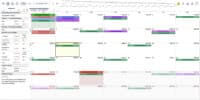
A budget calendar works by visually mapping out your income and expenses over a specific time period, helping you track spending, plan for upcoming bills, and ensure you stay within your financial limits.
What features does calendar budget software offer?
The features of CalendarBudget software include customizable budgeting categories, expense tracking, bank account reconciliation, and tutorial resources to enhance users' financial management skills. These tools aim to streamline budgeting and improve overall financial efficiency.
Can I customize my budget calendar?
You can customize your budget calendar to fit your financial needs. This includes setting specific categories, adjusting due dates, and personalizing reminders to enhance your budgeting experience with CalendarBudget.
How to create a budget calendar template?
Creating a budget calendar template involves outlining your monthly income and expenses on a calendar format. Start by listing all sources of income and fixed expenses, then allocate variable expenses, ensuring to track due dates for bills to maintain financial organization.
What are the advantages of using a budget calendar?
The advantages of using a budget calendar include improved financial organization, enhanced visibility of income and expenses, and better planning for upcoming bills and savings goals, ultimately leading to more effective budget management.
Is there a mobile app for calendar budget?
There is currently no dedicated mobile app for CalendarBudget. However, you can access the platform through your mobile browser for convenient budgeting on the go.
How to integrate calendar budget with other tools?
Integrating CalendarBudget with other tools is straightforward. You can connect it to your bank accounts and financial apps through our API or import/export data using CSV files for seamless budgeting and financial management.
What is the best way to use a budget calendar?
The best way to use a budget calendar is to track your income and expenses regularly, set financial goals, and plan your spending in advance. This helps ensure you stay on top of your finances and make informed budgeting decisions.
How to share my budget calendar with others?
Sharing your budget calendar with others is easy. Simply log into your CalendarBudget account, navigate to the sharing options, and select the individuals you want to share with by entering their email addresses.
What are common mistakes in budget planning?
Common mistakes in budget planning include underestimating expenses, failing to account for irregular costs, and not adjusting the budget regularly. These errors can lead to financial shortfalls and hinder effective money management.
How to set reminders in a budget calendar?
Setting reminders in a budget calendar involves selecting the date for your reminder, choosing the type of notification you prefer, and saving the settings. This ensures you stay on track with your budgeting tasks and deadlines.
What types of expenses should I track?
The types of expenses you should track include fixed expenses like rent and utilities, variable expenses such as groceries and entertainment, and periodic expenses like insurance and taxes. Monitoring these categories helps you manage your budget effectively.
How to adjust my budget calendar monthly?
Adjusting your budget calendar monthly involves reviewing your income and expenses, making necessary changes to your budget categories, and updating your financial goals. Log in to CalendarBudget to easily modify your budget for the upcoming month.
What is the difference between budget calendar and spreadsheet?
The difference between a budget calendar and a spreadsheet lies in their structure and purpose. A budget calendar visually organizes financial activities over time, while a spreadsheet offers detailed numerical analysis and flexibility for complex calculations.
How to analyze my spending with a budget calendar?
Analyzing your spending with a budget calendar involves tracking your expenses over time, categorizing them, and comparing them against your budgeted amounts. This helps identify spending patterns and areas for improvement.
What resources are available for budget calendar users?
The resources available for budget calendar users include tutorial videos, budgeting tools, and financial management guides designed to enhance your budgeting skills and optimize your financial planning.
How to prioritize expenses in a budget calendar?
Prioritizing expenses in a budget calendar involves identifying essential needs first, such as housing and utilities, followed by fixed expenses like loans, and finally discretionary spending. This approach ensures that critical financial obligations are met while managing overall budget efficiency.
What is the role of a budget calendar in financial planning?
The role of a budget calendar in financial planning is to systematically track income and expenses over time, helping users allocate funds effectively, anticipate financial needs, and stay organized to achieve their financial goals.
How to evaluate my budget calendars effectiveness?
Evaluating your budget calendar's effectiveness involves reviewing your spending patterns against your budgeted amounts, tracking your progress over time, and adjusting categories as needed to ensure alignment with your financial goals.
What tools complement a calendar budget?
Tools that complement a calendar budget include expense tracking apps, financial planning software, and savings calculators, which enhance your budgeting experience by providing detailed insights and helping you stay organized with your financial goals.
How to troubleshoot issues with calendar budget software?
Troubleshooting issues with CalendarBudget software involves checking your internet connection, ensuring the software is updated, and clearing your browser cache. If problems persist, consult the help section or contact customer support for further assistance.
What is the best practice for updating a budget calendar?
The best practice for updating a budget calendar is to review and adjust it regularly, ideally monthly, to reflect changes in income, expenses, and financial goals, ensuring it remains an accurate tool for effective financial management.
How to visualize my budget using a calendar?
Visualizing your budget using a calendar involves marking key financial dates, such as bill due dates and paydays, while allocating budgeted amounts to specific days. This helps track spending and ensures timely payments, enhancing overall financial management.
What are the key components of a budget calendar?
The key components of a budget calendar include income tracking, expense categorization, due dates for bills, and savings goals. These elements help users effectively plan and manage their finances throughout the month.
Leave A Comment