

How Much Do I Really Spend on Eating Lunch Out for Work?
Eating lunch out during work hours can significantly impact your monthly budget, often in ways that are not immediately apparent. Many professionals underestimate the cumulative costs associated with dining out, which can lead to financial strain over time. This article delves into the various aspects of work lunch spending, helping you understand how much you might be spending and offering strategies to manage these expenses effectively. We will explore typical spending habits, average costs, and factors influencing lunch prices, as well as practical tips for tracking and budgeting your work lunch expenses. Additionally, we will discuss how the CalendarBudget app can assist in managing these costs, ensuring you stay on top of your financial goals.
Typical Spending on Eating Lunch Out for Work
The average worker spends a considerable amount on lunch each week, often without realizing the total impact on their finances. Many employees dine out several times a week, with costs varying based on location and meal choices. For instance, a simple sandwich may cost around $10, while a full meal at a sit-down restaurant can easily exceed $20. Over time, these expenses add up, leading to potential savings if one opts for meal prepping or bringing lunch from home. Understanding these spending patterns is crucial for anyone looking to manage their finances better.
What Is the Average Cost of Eating Lunch Out at Work?
The average cost of eating lunch out can vary widely depending on several factors, including geographic location and the type of cuisine. In urban areas, lunch prices tend to be higher, with average costs ranging from $12 to $20 per meal. In contrast, smaller towns may see prices closer to $8 to $15. Additionally, the composition of the meal—whether it includes drinks, sides, or desserts—can significantly influence the total cost. Promotions and discounts offered by restaurants can also play a role in reducing expenses.
How Much Do US Workers Spend on Work Lunches in 2026?
It is projected that US workers will spend an average of $15 per day on work lunches, translating to approximately $3,600 annually. This figure reflects an increase due to inflation and rising food costs. Many employees may not realize how these daily expenses accumulate, leading to a significant portion of their budget being allocated to dining out. Understanding this spending can help individuals make informed decisions about their lunch habits and explore alternatives that may be more cost-effective.
What Factors Influence the Cost of Lunch Out at the Office?
Several factors can influence the cost of lunch out at the office, including:
- Location: Urban areas typically have higher prices due to increased demand and cost of living.
- Type of Food: Fast food options are generally cheaper than sit-down restaurants, which offer more elaborate meals.
- Personal Habits: Frequency of dining out and meal choices can significantly affect overall spending.
By being aware of these factors, individuals can make more informed choices about where and how often they eat out.
How Can I Track and Manage My Work Lunch Expenses Effectively?
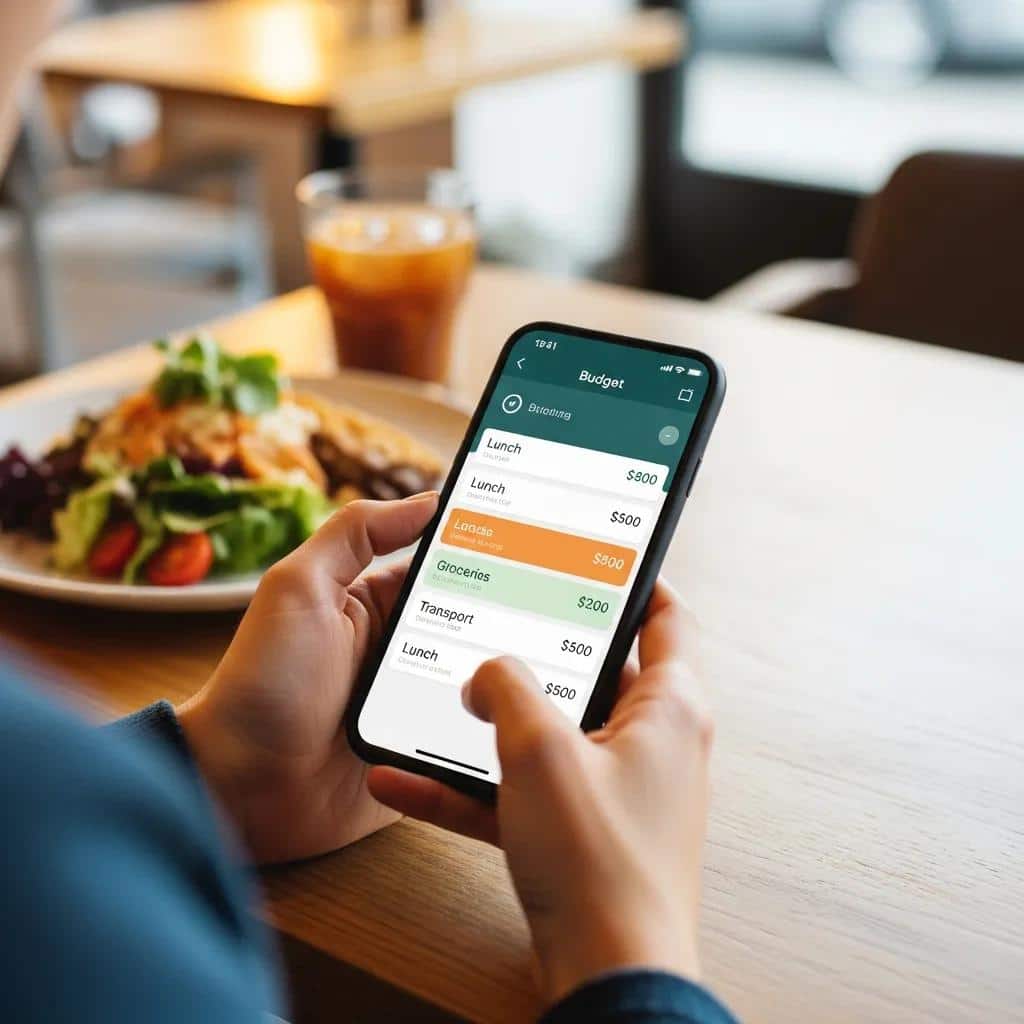
Tracking and managing work lunch expenses can be simplified through various budgeting methods. Here are some effective strategies:
- Set a Monthly Budget: Determine how much you can afford to spend on lunches each month.
- Use Expense Tracking Tools: Apps and spreadsheets can help you monitor your spending habits.
- Plan Ahead: Preparing meals in advance can reduce the temptation to dine out.
By implementing these strategies, you can gain better control over your lunch expenses and identify areas for potential savings.
How Does the CalendarBudget App Help Track Daily Lunch Spending?
The CalendarBudget app is designed to assist users in tracking their daily expenses, including work lunches. Its user-friendly interface allows for easy logging of daily spending, helping users visualize their financial habits. Key features include:
- Expense Tracking: Log daily lunch expenses to see where your money is going.
- Forecasting Tools: Predict future spending based on past habits, allowing for better budgeting.
- Custom Alerts: Set reminders for when you approach your budget limits.
By utilizing the CalendarBudget app, users can effectively manage their lunch spending and make informed financial decisions.
What Are Best Practices for Categorizing and Reviewing Lunch Expenses?
To effectively manage lunch expenses, consider the following best practices:
- Daily Logging: Record your lunch expenses daily to maintain an accurate overview.
- Monthly Review: Analyze your spending at the end of each month to identify trends and areas for improvement.
- Comparison with Home-Cooked Meals: Regularly compare the costs of dining out versus bringing lunch from home to evaluate potential savings.
These practices can help you stay accountable and make necessary adjustments to your spending habits.
What Budgeting Strategies Can Save Money on Eating Lunch Out?
Implementing effective budgeting strategies can lead to significant savings on work lunches. Here are some strategies to consider:
- Meal Planning: Plan your meals for the week to avoid impulsive dining out.
- Bringing Lunch from Home: Prepare and pack your lunch to save money and eat healthier.
- Setting a Dining Budget: Allocate a specific amount for dining out each month to control spending.
By adopting these strategies, you can enjoy your lunches while keeping your budget in check.
Which Meal Planning Techniques Reduce Work Lunch Costs?

Meal planning can be a powerful tool for reducing work lunch costs. Consider these techniques:
- Batch Cooking: Prepare large quantities of meals at once to save time and money.
- Using Leftovers: Repurpose leftovers from dinner for lunch the next day.
- Grocery Shopping with a Plan: Create a shopping list based on your meal plan to avoid unnecessary purchases.
These techniques not only save money but also promote healthier eating habits.
How to Set Realistic Budgets for Eating Out at Work?
Setting realistic budgets for eating out involves understanding your spending patterns and financial goals. Here are some steps to follow:
- Track Your Spending: Monitor your lunch expenses for a month to identify your average spending.
- Set a Monthly Dining Budget: Based on your findings, allocate a reasonable amount for dining out.
- Limit Dining Out Frequency: Decide how many times a week you can afford to eat out without exceeding your budget.
By following these steps, you can create a sustainable budget that aligns with your financial goals.
Is It Cheaper to Bring Lunch or Buy It at Work?
When comparing costs, bringing lunch from home is often more economical than buying lunch at work. For example, preparing a meal at home can cost as little as $3 to $5, while purchasing a similar meal at a restaurant may cost $10 or more. Additionally, bringing lunch allows for healthier choices and portion control, which can contribute to overall well-being.
What Are the Financial Advantages of Bringing Lunch from Home?
Bringing lunch from home offers several financial advantages, including:
- Cost Savings: Preparing meals at home is generally cheaper than dining out.
- Healthier Options: Home-cooked meals can be tailored to your dietary preferences, promoting better health.
- Reduced Impulse Spending: By planning meals, you can avoid the temptation of last-minute dining out.
These advantages make bringing lunch a smart choice for both your wallet and your health.
Research further supports the financial and health benefits of preparing meals at home.
Packed Lunches: A Cost-Saving Solution to Reduce Expenditure
give benefit financial for student with reduce expenditure For snacks outside . Habits bring food from House
Replacing pocket money with packed lunch: a healthier, cost-saving solution for students, U Suhud, 2024
When Does Buying Lunch Out Make Sense Financially?
While bringing lunch is often cheaper, there are scenarios where buying lunch out may be justified:
- Convenience: On particularly busy days, purchasing lunch can save time.
- Networking Opportunities: Lunch meetings can foster professional relationships that may benefit your career.
- Special Occasions: Treating yourself or celebrating with colleagues can enhance workplace morale.
Understanding when it makes sense to dine out can help you balance convenience with cost-effectiveness.
Indeed, external factors like time constraints often play a significant role in these workplace lunch decisions.
Time Constraints & Workplace Lunch Decisions
This thesis builds on this idea and investigates the time constraints associated with choice of lunch purchase location among French workers. It sets out to provide a better understanding of the nature and characteristics of these constraints, and to evaluate their consequences on workers’ lunchtime decisions.
Impact of time constraints on lunch behaviors in the workplace, 2020
How Can I Use a Meal Cost Calculator to Understand My Work Lunch Spending?
A meal cost calculator can be a valuable tool for understanding your work lunch spending. By inputting your meal choices and their costs, you can gain insights into your spending patterns. This tool can help you:
- Visualize Your Expenses: See how much you spend on different types of meals.
- Identify Costly Choices: Recognize which meals are draining your budget.
- Plan for Future Meals: Make informed decisions about what to prepare or purchase.
Using a meal cost calculator can empower you to take control of your lunch spending.
What Features Should I Look for in a Meal Cost Calculator?
When selecting a meal cost calculator, consider the following features:
- Expense Categorization: The ability to categorize meals by type (e.g., breakfast, lunch, dinner).
- Daily Input Tracking: A user-friendly interface for logging daily expenses.
- Monthly Summary: A feature that provides a summary of your spending at the end of each month.
These features can enhance your budgeting experience and help you stay on track with your financial goals.
How to Track Monthly Work Lunch Costs with CalendarBudget
Integrating meal cost calculations with the CalendarBudget app can streamline your budgeting process. Here’s how to do it:
- Setting Up the App: Download and set up the CalendarBudget app on your device.
- Logging Daily Expenses: Input your lunch expenses daily to keep track of your spending.
- Using Visual Features: Utilize the app’s visual tools to analyze your spending patterns over time.
By combining meal cost calculations with the CalendarBudget app, you can gain a comprehensive view of your lunch expenses.
What Common Questions Do People Have About Budgeting for Eating Out at Work?
Many individuals have questions regarding budgeting for work lunches, including:
- What are typical budgeting strategies?: Common strategies include setting a monthly budget and tracking expenses.
- What factors affect lunch costs?: Location, meal type, and personal habits can all influence costs.
- What tips can help manage expenses?: Meal prepping and planning can significantly reduce spending.
Addressing these questions can help individuals make informed decisions about their lunch spending.
How Can I Identify Hidden Costs in My Work Lunch Spending?
Identifying hidden costs in work lunch spending requires careful tracking and analysis. Consider these tips:
- Track Daily Expenses: Keep a detailed log of all lunch purchases to uncover spending patterns.
- Consider Additional Costs: Factor in tips, taxes, and transportation costs when dining out.
- Identify Behavioral Triggers: Recognize situations that lead to impulsive dining decisions.
By being aware of these hidden costs, you can make more informed choices about your lunch spending.
What Are Effective Ways to Stay Motivated in Managing Lunch Budgets?
Staying motivated in managing lunch budgets can be challenging. Here are some effective strategies:
- Track Your Spending: Regularly review your expenses to see your progress.
- Set a Budget: Establish a clear budget to guide your spending decisions.
- Celebrate Small Wins: Acknowledge your successes in sticking to your budget to maintain motivation.
To further assist in managing your finances, consider exploring resources like CalendarBudget, which offers tools and insights to help you stay on track with your financial goals.







Leave A Comment