

CalendarBudget: Your Guide to Visual Budgeting Software for Effective Personal Finance Management in 2026
Managing personal finances can often feel overwhelming, especially with the myriad of expenses and financial commitments individuals face today. CalendarBudget offers a unique solution through its visual budgeting software, designed to simplify financial management by integrating budgeting directly into a calendar format. This approach not only enhances clarity but also encourages proactive financial planning. In this article, we will explore the features that make CalendarBudget a leading choice for visual budgeting in 2026, how to set up a monthly budget planner, and the best practices for maximizing its effectiveness. By the end, you will understand how to leverage this tool to take control of your finances effectively.
What Makes CalendarBudget the Leading Visual Budgeting Tool in 2026?
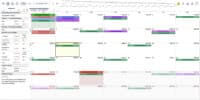
CalendarBudget stands out in the realm of personal finance software due to its innovative calendar-based visualization, which allows users to see their financial commitments at a glance. This user-friendly interface simplifies the budgeting process, making it accessible for individuals of all financial backgrounds. The customizable budgeting options enable users to tailor their financial plans according to their unique needs, ensuring that they can manage their finances effectively.
How Does Calendar-Based Expense Tracking Improve Money Management?

Calendar-based expense tracking enhances money management by providing a real-time overview of financial activities. Users can visualize their spending patterns and upcoming bills, which helps in anticipating cash flow needs. This proactive approach allows for timely adjustments to spending habits, reducing the likelihood of overspending. Additionally, customizable alerts for bills ensure that users never miss a payment, further supporting their financial health.
Which Features Set CalendarBudget Apart from Other Budget Tracking Software?
CalendarBudget differentiates itself from traditional budgeting methods through several unique features. Automated expense tracking simplifies the process of recording transactions, allowing users to focus on financial planning rather than data entry. Integration with various financial services provides a holistic view of one’s finances, while community engagement features foster a supportive environment for users to share tips and strategies. These elements combine to create a comprehensive budgeting experience that is both efficient and user-friendly.
How Can You Set Up a Monthly Budget Planner Using CalendarBudget?

Setting up a monthly budget planner with CalendarBudget is straightforward and intuitive. The first step involves creating an account, which allows users to input their financial information securely. Once the account is set up, users can begin inputting their income and expenses, categorizing them for better tracking. Setting reminders for bills is also crucial, as it helps maintain financial discipline and ensures timely payments.
What Are the Step-by-Step Instructions to Create a Budget Calendar?
To create a budget calendar, follow these steps:
- Sign Up: Create an account on CalendarBudget by providing your email and setting a password.
- Set Up Financial Profiles: Input your income sources and categorize your expenses into relevant budget categories.
- Choose a Calendar Format: Select a calendar view that suits your preferences, whether daily, weekly, or monthly.
These steps will help you establish a solid foundation for managing your finances effectively.
How Does Visual Money Planning Simplify Personal Finance Management?
Visual money planning simplifies personal finance management by providing a clear representation of financial data. Users can easily identify trends in their spending and savings, which aids in making informed financial decisions. For instance, visualizing upcoming expenses alongside income can help users anticipate potential shortfalls and adjust their budgets accordingly. This proactive approach encourages better financial habits and fosters a sense of control over one’s financial situation.
Research further supports the efficacy of visual tools in financial contexts, demonstrating their ability to enhance decision-making and user confidence.
Visual Analytics for Enhanced Financial Decisions
We have applied visual analytics (VA), which enables users to interactively discover information from large information sets, to improve the financial decision-making process. Using an experimental methodology, we find evidence that VA reduces the cost of obtaining information, improves decisions, and increases confidence of users in a range of different financial decision tasks involving risk.
The application of visual analytics to financial decision-making and risk management: Notes from behavioural economics, 2012
Why Choose CalendarBudget as Your Personal Finance Management App?
Choosing CalendarBudget as your personal finance management app comes with numerous advantages. The software offers real-time tracking of expenses, allowing users to stay updated on their financial status at all times. Additionally, its forecasting tools help users plan for future expenses, making it easier to save for significant purchases or emergencies. The accessibility across devices ensures that users can manage their finances anytime, anywhere.
What Are the Benefits of Using a Digital Money Planner for Adults Aged 25-45?
For adults aged 25-45, using a digital money planner like CalendarBudget provides a comprehensive financial overview that is crucial for this demographic. Customizable budgets allow users to adapt their financial plans as their circumstances change, promoting good financial habits. Furthermore, the ability to track spending in real-time encourages accountability, which is essential for maintaining financial health.
How Do User Testimonials Reflect Improved Budget Tracking and Financial Control?
User testimonials highlight significant improvements in budgeting and financial control after adopting CalendarBudget. Many users report feeling more empowered and informed about their financial situations, thanks to the software’s intuitive design and features. The clarity provided by visual budgeting tools helps users make better financial decisions, leading to increased savings and reduced financial stress.
Master Visual Budgeting in 2026 with CalendarBudget
To maximize the benefits of CalendarBudget, users should adopt several best practices. Regular updates to financial entries ensure that the budget remains accurate and reflective of current spending habits. Utilizing reminders effectively can help users stay on top of their financial commitments, while engaging with community resources can provide additional support and insights.
How Can You Integrate CalendarBudget with Other Financial Planning Resources?
Integrating CalendarBudget with other financial planning resources can enhance its effectiveness. Users can connect their bank accounts for automatic syncing of transactions, which reduces manual entry and errors. Importing transactions from other financial tools can also provide a more comprehensive view of one’s financial landscape, allowing for better decision-making.
What Expense Tracking Techniques Enhance Your Budgeting Experience?
Effective expense tracking techniques can significantly enhance the budgeting experience. Utilizing budgeting tools like CalendarBudget allows for easy categorization of expenses, which aids in identifying spending patterns. Regular updates and categorization of expenses ensure that users remain aware of their financial habits, while engaging with community forums can provide valuable tips and strategies for effective budgeting.
This table illustrates how the features of CalendarBudget work together to create a seamless budgeting experience, making it easier for users to manage their finances effectively.
This comparison highlights the advantages of using CalendarBudget over traditional budgeting methods, emphasizing the efficiency and effectiveness of a visual approach to personal finance management.







Leave A Comment